

 UTAH EDUCATION NETWORK

 More K12 Education
 my.uen Login
 Forgot my.uen Login
 Curriculum Search
 Find a School
 Canvas Logins
 Find an Institution
 Teacher Tips
 PD Newsletter
 PDTV
PDTV UEN Homeroom
 Adobe
Adobe Canvas
 eMedia
 Google
 Nearpod
 Utah's Online School Library
 Justin
 Braxton
 Dani
Dani Kayla
Kayla Katie
Katie Matthew
 Rob
Rob Val
Val UEN Print Schedule
 Monthly Highlights
 Give Us Feedback
 WebEx
WebEx Zoom
Zoom CMS Web App
 TMS
TMS YouTube
 Network Outages
 Network Traffic Map
 Speed Test
 Infrastructure Map
 Facebook
 Instagram
 LinkedIn
 News RSS
 Contact Us Form
 Dashboards
 Maps
Maps Widgets


News
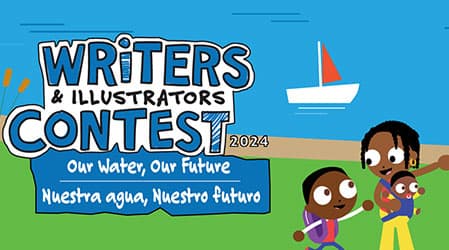
Students, K-6th grade grab your notepad, pencil, art supplies and let the creativity flow! The theme this year is “Our Water, Our Future.”
Access high-quality, peer-reviewed teaching resources aligned to the Utah Fine Arts standards.

Watch
UEN-TV
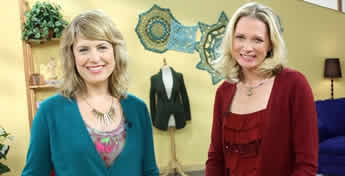
Knit and Crochet Now
Baby Napper -
First is the Diamond Filet Crochet Blanket with Toni Lipsey. Diamonds and bobbles are a crocheter's best friend for this delightful blanket with a...

NASA TV

Wildfires-
When it comes to wildfires, NASA leverages its unique perspective from space to formulate predictive analysis, contribute to active fire monitoring...

FNX
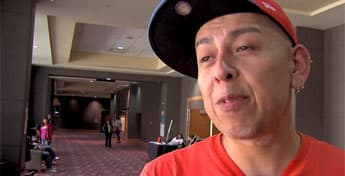
Indian Road
"Indian Road" is a magazine-style TV show featuring engaging stories from Indian Country produced by Cheyenne and Arapaho Television. The show's...

NHK World-Japan

Lunch On!
More than just a meal! Enjoy lunch around Japan, learning about peoples' lives and work-places and the stories behind workers' daily meals.
