

 UTAH EDUCATION NETWORK

 More K12 Education
 my.uen Login
 Forgot my.uen Login
 Curriculum Search
 Find a School
 Canvas Logins
 Find an Institution
 Teacher Tips
 PD Newsletter
 PDTV
PDTV UEN Homeroom
 Adobe
Adobe Canvas
 eMedia
 Google
 Nearpod
 Utah's Online School Library
 Justin
 Braxton
 Dani
Dani Kayla
Kayla Katie
Katie Matthew
 Rob
Rob Val
Val UEN Print Schedule
 Monthly Highlights
 Give Us Feedback
 WebEx
WebEx Zoom
Zoom CMS Web App
 TMS
TMS YouTube
 Network Outages
 Network Traffic Map
 Speed Test
 Infrastructure Map
 Facebook
 Instagram
 LinkedIn
 News RSS
 Contact Us Form
 Dashboards
 Maps
Maps Widgets


News

The new Utah Academic Library Consortium hub on eMedia provides Utah educators with easy access to Pressbooks from universities across the state. Create, adapt, and share accessible, interactive, web-first books for your students.
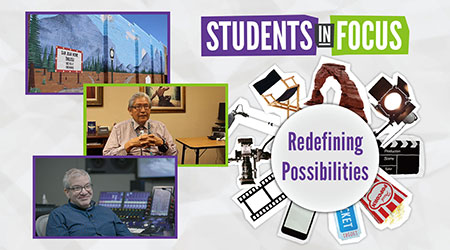
In this Students In Focus episode, we feature two gripping student documentaries an industry spotlight from Nathan Efstation, an audio engineer at PBS Utah, who'll share his expertise on the art of sound design.
In our digital age, equipping students with information literacy is key to their future success. This article provides a quick guide to help you empower your students to navigate the complex information landscape, preparing them as critical thinkers.

Watch
UEN-TV
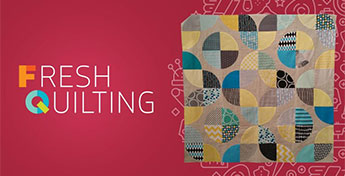
Fresh Quilting
Blocks -
The first episode of Fresh Quilting's new season features blocks - the most basic of quilt techniques. Ebony Love show how to use negative space in...

NASA TV

ISS Benefits for Humanity
For 15 years, the International Space Station has been human spaceflight's preeminent destination, with crew members conducting science from around...

FNX

Fnx Now Block
FNX NOW is the station's flagship news series and the first interstitial community engagement series created by the channel after its initial launch...

NHK World-Japan

NHK Newsline
NHK WORLD-JAPAN's flagship hourly news program delivers the latest world news, business and weather, with a focus on Japan and the rest of Asia.
