

 UTAH EDUCATION NETWORK

 More K12 Education
 my.uen Login
 Forgot my.uen Login
 Find a School
 Canvas Logins
 Find an Institution
 Teacher Tips
 PD Newsletter
 PDTV
PDTV UEN Homeroom
 Adobe
Adobe Canvas
 eMedia
 Google
 Nearpod
 Utah's Online School Library
 Justin
 Dani
Dani Rob
Rob Val
Val Kayla
Kayla WebEx
WebEx Zoom
Zoom CMS Web App
 TMS
TMS YouTube
 Network Outages
 Network Traffic Map
 Speed Test
 Infrastructure Map
 Facebook
 Instagram
 LinkedIn
 News RSS
 Contact Us Form
 Dashboards
 Maps
Maps Widgets
Rubric Tutorial
Notice: The Rubric Tool will be retired on July 17, 2026.
Please download your saved rubrics before this date. If you have any questions, please contact UEN at resources@uen.org.
What is it?
Educators can use the UEN Rubric Tool to either customize and print an existing rubric, or create an new rubric from scratch. Visit the What is a Rubric? page to learn more about this method of assessing student products.
Getting Started
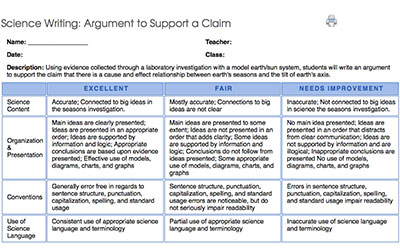
You must have a my.uen account to create and save rubrics.
- Go to http://my.uen.org
- Log-in to your my.uen page
- Use the Rubric Creation link located within the Services/Tools portlet on your Personal my.uen page. Or visit uen.org/rubric and use your my.uen login.